



Drupal 11 Tutorial Explores Automated Link Directory With Screenshots and Custom Crawlers

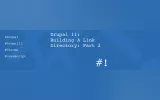
Managing large collections of bookmarks can become difficult as links accumulate across browsers and devices. In the first part of a new Drupal 11 tutorial series, Phil Norton describes how he is building a custom link directory application to organise and manage curated web resources directly within Drupal. The project is designed to store links alongside screenshots, descriptions, tags, and other metadata to improve long-term discoverability.
The implementation begins with a dedicated Link content type containing fields for URLs, tags, screenshots, descriptions, and link-monitoring metadata. Norton uses Drupal Views to present links in a visual directory format and relies on taxonomy terms to organise resources. Rather than treating bookmarks as simple URLs, the architecture stores structured metadata that can later support search, categorisation, and link-health monitoring.
A significant portion of the tutorial focuses on automated screenshot generation. Norton adapts components from an existing PHP sitemap-checking package and uses Chromium in headless mode to crawl pages, capture screenshots, extract metadata, and generate Drupal file entities automatically. The screenshots are then attached to Link content items, creating a visual directory that displays consistent previews of external websites.
The article also explores Drupal 11's object-oriented hook system. A custom hook_node_presave() implementation updates screenshots and metadata whenever links are modified, while a dedicated submission form streamlines content creation by allowing editors to submit a URL and automatically generate the corresponding directory entry. Norton notes that future parts of the series will address challenges such as bot protection, cookie banners, screenshot reliability, and automated link checking.
ASK: Drupal Community Needs Your Support
View all →
Disclosure: This content is produced with the assistance of AI.
Disclaimer: The opinions expressed in this story do not necessarily represent that of TheDropTimes. We regularly share third-party blog posts that feature Drupal in good faith. TDT recommends Reader's discretion while consuming such content, as the veracity/authenticity of the story depends on the blogger and their motives.
Note: The vision of this web portal is to help promote news and stories around the Drupal community and promote and celebrate the people and organizations in the community. We strive to create and distribute our content based on these content policy. If you see any omission/variation on this please reach out to us at #thedroptimes channel on Drupal Slack and we will try to address the issue as best we can.

Related Organizations

Related People


You may also like