



WordPal Converts WordPress Block Themes for Drupal Canvas and Display Builder


Developers can use thousands of WordPress block themes as starting points for Drupal websites through WordPal, an experimental converter developed by Drupal core committer Théodore Biadala. The module translates WordPress designs into Drupal themes, reusable components and editable page structures without requiring WordPress on the finished website. Its public testing gallery recorded completed conversions for 2,349 of 2,368 WordPress block themes on 27 October 2026, a measure that does not establish full editability or production readiness. Of those, 330 produced home pages that matched their WordPress originals under the gallery's visual and markup comparison criteria.
The results raise an interesting possibility for Drupal developers: choosing a ready-made design from WordPress's much larger theme collection without committing to WordPress as the CMS. The concept could change how developers approach prototypes and theme selection, but it also introduces technical questions. A converted design might resemble its original while containing blocks editors cannot modify, functionality that does not carry over from WordPress or changes that become difficult to maintain. Whether WordPal can address those limitations will determine how far the experiment can progress beyond demonstrations.
Sharing detailed insights with The DropTimes, Théodore, founder of Très Bien Tech, explained the engineering behind WordPal, the difference between converting a theme and making it genuinely usable, and the challenges of supporting thousands of designs across two evolving content management systems. His responses describe a project that has already demonstrated substantial technical capability while remaining deliberately cautious about production adoption.
Why Bring WordPress Themes Into Drupal?
The motivation is rooted in a practical difference between Drupal and WordPress. Drupal offers extensive control over content structures, component architecture, editorial workflows and custom development. WordPress provides a considerably wider selection of ready-made themes covering different visual styles and website categories. A Drupal developer may find a suitable WordPress design quickly, but recreating it within Drupal usually requires translating its templates, styling, navigation and reusable patterns into a different system.
WordPal attempts to reduce that work by treating an existing WordPress block theme as the source for a Drupal implementation. Rather than requiring developers to reconstruct each design element manually, the module interprets the original theme and generates corresponding Drupal structures. The approach does not place WordPress inside Drupal or require the two content management systems to operate together after deployment. It uses WordPress during conversion, then leaves developers with a Drupal website built around the translated design.

Théodore first registered the WordPal project on Drupal.org on 13 November 2024. A blog post published on 5 October 2026 introduced the experiment more widely, describing a gallery containing more than 1,800 converted WordPress block themes at that stage. Development and automated testing have since expanded its coverage. WordPal 1.0.0-alpha11 was published on 19 October 2026. The subsequent 1.0.0-alpha12 release was listed on Drupal.org on 27 October 2026, with a Drupal compatibility requirement of ^11.4. Its alpha status remains important when evaluating the project for production use.
From Choosing a Theme to Editing a Drupal Website
For someone trying WordPal for the first time, the experience is designed to begin with a familiar choice: selecting a WordPress theme. A developer identifies a compatible block theme, supplies its theme identifier and runs the converter. WordPal then builds the corresponding Drupal structures, providing a website that can be explored and edited rather than merely displaying a copied screenshot.
You pick a WordPress theme, point WordPal at it, and a few minutes later you have a Drupal site that looks like the WordPress demo.
The output extends beyond the home page. According to the project documentation, WordPal generates a normal Drupal theme containing the selected WordPress theme's styles, fonts and style variations. The home page becomes a Canvas page, while the templates used for individual posts and standard pages are connected to Drupal fields. Archive pages, taxonomy tag listings and search interfaces are created through Drupal Views, allowing Drupal to manage the corresponding content displays.
Navigation menus are included, along with demonstration content that helps visitors recognise the intended layouts. Reusable WordPress patterns are converted into components available through the Canvas library. These details matter because a working website theme must account for different page types and content arrangements, not simply reproduce one attractive landing page. WordPal attempts to transfer enough of that surrounding structure to provide a practical starting point for further Drupal development.
Once conversion finishes, editors can work with the generated pages through Drupal Canvas or Display Builder, subject to the limitations of individual components. Developers must still connect their own content, replace demonstration material and examine elements that were not fully translated. Théodore described that remaining work as the normal integration required on a Drupal project, alongside reviewing blocks that need additional attention.
The distinction is important for organisations considering whether WordPal could simplify migration from WordPress. The module primarily converts a block theme and its presentation structures. It does not promise to migrate an existing website's users, editorial history, custom application logic or WordPress plugin functionality. A developer building a Drupal site around a converted design must still establish the appropriate Drupal content types, fields, workflows and integrations.
Which WordPress Themes Work, and What Cannot Be Converted?
The original theme also determines how much work will remain. WordPal supports WordPress's newer block themes, which use block-based templates and layouts. It does not currently convert traditional or classic WordPress themes through the same process. Popular themes such as Astra and Kadence are examples of designs outside the module's supported category because they are not WordPress block themes.
Compatibility varies even among themes built with the block system. Théodore explained that designs relying largely on standard WordPress functionality tend to convert more cleanly than those depending on specialised plugins. A visually attractive theme is not necessarily easier to translate. The original implementation may contain blocks with custom rendering behaviour, editing interfaces or external dependencies that have no direct equivalent in Drupal.
These differences become especially visible when WordPal encounters blocks supplied by third-party WordPress plugins. The converter can preserve their rendered HTML and CSS, allowing a page to resemble its source, but it cannot necessarily recreate the original editing controls. Some blocks rely on plugin-specific code or WordPress APIs for their functionality, and those dependencies do not automatically become available inside Drupal.
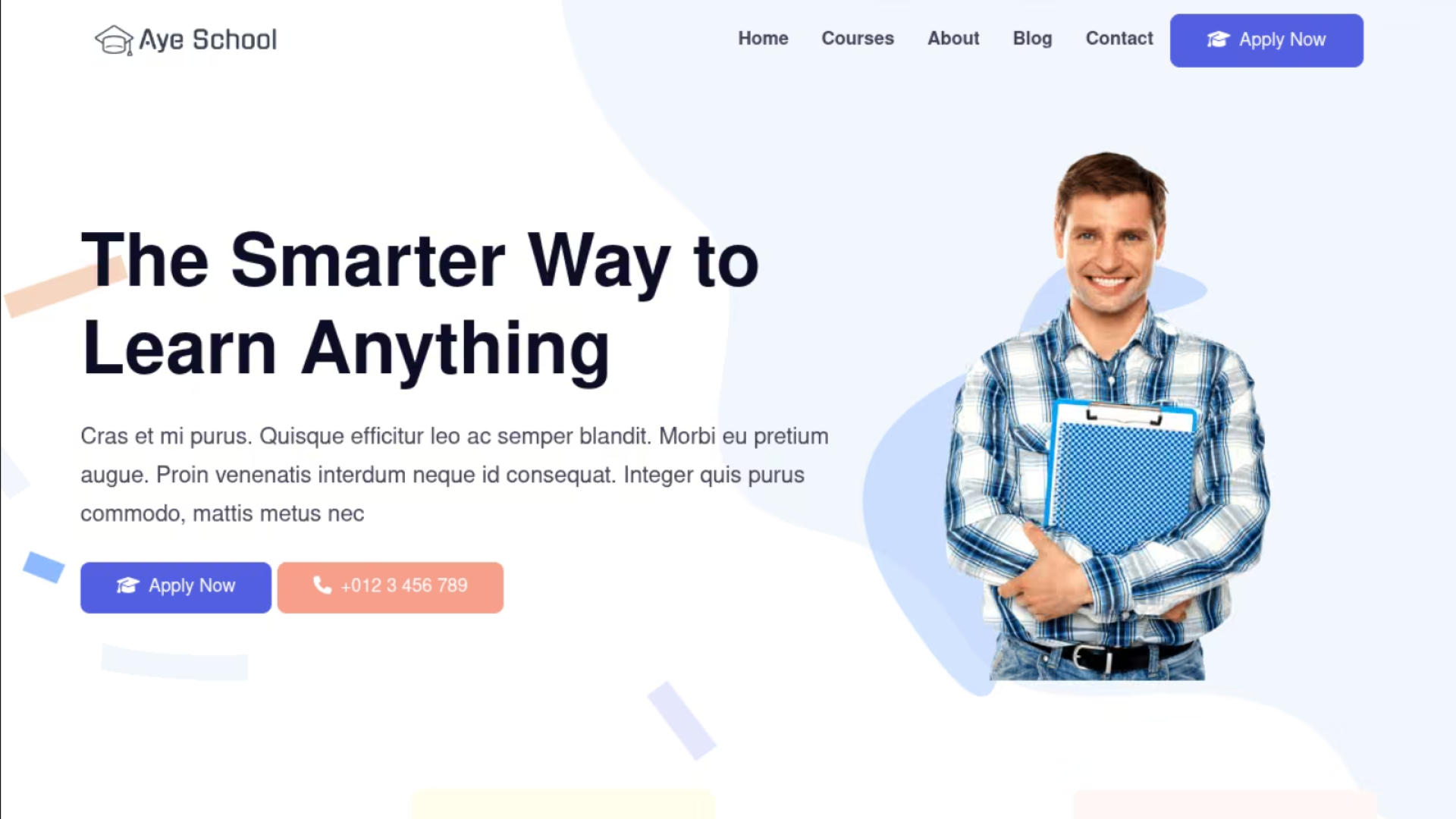
WordPal handles these elements as frozen blocks. Editors can move them around within a page, but cannot modify their internal content through the converted component. A dashed outline identifies them in the editing interface. The visual indication allows developers and editors to distinguish fully editable components from elements that may require replacement or additional development.
This creates an important difference between a conversion that looks successful and one that provides the editing experience a project actually needs. A page containing frozen blocks may be suitable for demonstrating a design to a client, but those same limitations could become significant when editors need to update content regularly. WordPal's block support documentation records how individual WordPress core blocks are converted and identifies the functionality that may be lost.
How WordPal Translates WordPress Designs Into Drupal Components
To understand how the project handles these variations, developers need to look beneath the generated pages. WordPal's conversion process relies on WordPress Playground, which provides a way to run WordPress during conversion. Instead of attempting to reproduce WordPress's entire theming and styling system within Drupal, Théodore uses WordPress itself to interpret the source theme before translating the result.
WordPal runs a real WordPress through WordPress Playground during the conversion and translates what comes out. I really didn't want to have to rewrite the WordPress styling engine in Drupal, and keep up with every release.
The approach avoids building and maintaining a separate implementation of WordPress's complex styling behaviour. WordPress already understands how its block themes, templates and configuration should be rendered. By allowing that system to process the original theme, WordPal can concentrate on turning the resulting structures into Drupal-compatible components and layouts.
The workflow moves through five stages: selecting a WordPress block theme, processing it with WordPress Playground, converting its structures through WordPal, generating Drupal themes and components, and editing the result using Drupal Canvas or Display Builder.
How WordPal Converts a WordPress Theme Into Drupal
1. WordPress Block Theme
Blocks, templates, patterns, styles and theme.json
2. WordPress Playground
Runs WordPress to render and interpret the original theme
3. WordPal Conversion
Translates rendered blocks, templates, patterns and design settings into Drupal structures
4. Drupal Theme and Components
Single Directory Components, page templates, reusable patterns, style choices and Views
5. Editing in Drupal
Drupal Canvas or Display Builder
Editors manage converted layouts and supported components
One of the principal translation mechanisms is Drupal's Single Directory Components, commonly called SDCs. This architecture groups a component's template, styles, scripts and metadata within a defined directory structure. WordPal converts WordPress blocks into SDCs containing corresponding settings and CSS, giving Drupal a reusable representation of the original design elements.
The conversion also handles higher-level design structures. WordPress templates become Canvas pages and templates, while reusable block patterns are placed into the Canvas library. The goal is to preserve relationships between the different parts of a design so that editors can continue using familiar page arrangements within Drupal's visual editing environment.
WordPress's theme.json configuration plays a significant role in that translation. Block themes use it to define global design settings, including colour palettes, typography and other styling choices. WordPal interprets supported settings and exposes them as options inside the Drupal editor. Rather than manually entering a colour value, for example, an editor can select from the palette provided by the converted theme.
Preserving these settings helps maintain a connection between the appearance of the original design and the choices available to editors. Without such a connection, a converted theme might visually reproduce the source while leaving editors without its reusable design controls. WordPal attempts to carry those controls into Drupal wherever the underlying editing architecture allows them to be represented.
The module supports both Canvas and Display Builder, although the integrations developed at different stages. Théodore explained that WordPal worked with Display Builder first because its design-system features were more developed when the project began. Display Builder belongs to the UI Suite ecosystem, which provides tools for working with component-based Drupal interfaces. Canvas subsequently became another supported editing target.
Both editors use the generated theme and components. Théodore expects continuing development within Drupal core and its component infrastructure to reduce the amount of custom integration WordPal requires to express concepts originating in WordPress's theme.json system. That remains a development expectation rather than a completed capability. The converter must still account for differences between the design systems and editing tools it connects.
What Happens When the Original WordPress Theme Gets Updated?
The technical approach has another consequence: WordPress is not needed to serve the converted Drupal website. The source content management system runs during conversion on the developer's machine. WordPal then produces a Drupal theme that can be placed in a repository, version-controlled and deployed using the team's established practices. The production website requires the generated theme and the WordPal runtime module, while the conversion module itself does not need to remain enabled.
The generated Drupal theme can be held in the site team’s repository and maintained as part of its own codebase, subject to the licences and other applicable rights associated with the original WordPress theme and included assets. That control over the generated implementation does not eliminate the challenge of maintaining it. WordPress themes receive updates, and a converted Drupal implementation may need to incorporate changes made to its source. At the same time, editors may already have customised pages, components or content derived from the earlier conversion.
Théodore explained that WordPal can convert a theme again when the original receives an update. The current approach is intended to refresh elements editors have not modified while preserving their changes. That behaviour is still being developed, and it introduces a more complicated problem than simply replacing one set of theme files with another.
A converted WordPress theme can involve three different parts of a Drupal installation: code, configuration and content. Each may change independently after conversion. A newer WordPress theme version could introduce different styles, templates or component settings, while the Drupal website might contain editorial changes based on the previous version. Théodore is seeking feedback on how the conversion and update process should handle these relationships in practical Drupal workflows.
The 1.0.0-alpha11 release introduced an additional mechanism for recognising upstream changes. According to the alpha11 release notes, WordPal can check once a day during Drupal's cron execution whether a theme originally converted from WordPress.org has a newer version. The status report can then display an update warning and provide information about how the gallery converts the newer theme version.
The documented update workflow involves reconverting the theme, deploying the result and running drush wordpal:update. This provides a way to identify and process upstream changes, although it does not remove the need to review the generated result. Developers must still determine whether changes to the original theme affect customisations or components used by the Drupal website.
The upstream check also has privacy and configuration implications. According to the release notes, the request sends the WordPress theme slug and includes the Drupal core version in its User-Agent header. The remote server also receives the requesting IP address as part of the connection. Themes converted from ZIP files do not use the check. Administrators who do not want this functionality can disable it by adding $settings['wordpal_upstream_check'] = FALSE; to settings.php.
The alpha11 release also includes a fix for a conversion failure involving the WordPress Breadcrumbs block. The issue affected five themes in the gallery because Drush did not provide the route information needed to retrieve a page title. The release notes additionally describe a configuration import requirement for installations created before alpha10. Those installations may need to import the WordPal table text format manually because an automatic update hook is not yet provided for that configuration during the alpha development stage.
What the Gallery Reveals About Thousands of Theme Conversions
The changes illustrate how the converter is being refined through practical testing. WordPal's public gallery provides a particularly visible record of that work. It processes the available WordPress.org block themes nightly and presents the original WordPress rendering beside the Drupal conversion. Developers can examine individual themes before deciding whether to test them locally.
The gallery does more than display screenshots. Its testing system measures as many as eight page routes per theme, covering the home page, individual content pages, standard pages, archives, search results, not-found pages, a second home-page pagination route and an empty search-results page. It records markup differences and produces comparison information that can help identify where the converted result diverges from its WordPress source.
The testing methodology distinguishes between successful conversion and exact reproduction. A home page is classified as identical only when its markup has no recorded differences and its screenshot matches the WordPress version. Markup differences include changes to elements, classes, attributes and inline styles, while text and stylesheets are not directly compared by that test. Screenshot comparisons apply to the home page rather than every route.
That distinction explains why the project's conversion totals are much larger than its identical-home-page totals. On 27 October 2026, the gallery results recorded 2,349 converted themes out of 2,368 tested. Only 330 had identical home pages under the current criteria. The remaining successfully converted themes included examples with relatively small markup differences, more substantial differences or screenshots that did not match despite having no recorded markup differences.
The gallery has also changed its evaluation criteria during development. From 13 October 2026, an identical result required both matching markup and a matching screenshot, substantially reducing the reported number of identical home pages compared with earlier tests that used less stringent criteria. Historical totals therefore need to be interpreted alongside the testing method used at the time. A change in the count does not necessarily mean that the converter itself improved or regressed by the same amount.
The Twenty Twenty-Four and Twenty Twenty-Five comparisons provide examples of close reproduction. Both show identical home-page results in the current gallery, with no recorded markup differences across the eight measured routes. Their matching home-page screenshots demonstrate how closely WordPal can reproduce themes that rely on WordPress's standard block and styling systems.
Other themes produce different results, even when conversion completes. Some include a small number of markup differences across their pages, while others show more noticeable layout changes or elements that cannot be compared reliably. The gallery's individual theme pages and conversion histories make these variations visible, providing developers with more useful evidence than an overall compatibility percentage alone.
The documented WordPal gallery API also exposes conversion information for further inspection. Its responses include theme identifiers, versions, WordPal releases, conversion outcomes and route-level comparison details. Individual theme histories record previous runs, allowing changes in conversion results to be examined as WordPal and the source themes evolve. The API documentation describes those fields and their limitations, including the fact that its overall exact, different and failed classifications concern the home page.
How Developers Can Test WordPal
For developers who want to test WordPal without assembling a complete development environment, Théodore recommends the Drupacked Demo. The demonstration combines Drupal CMS and WordPal into a single executable using Drupack, another project developed by Théodore. It allows users to experiment with converted themes without separately installing PHP, Node.js or a database.
The documented Linux and macOS workflow starts with a download script and the drupacked-demo executable. After starting the demonstration site, developers can convert a theme using a command such as ./drupacked-demo drush wpc twentytwentyfour --target=canvas. To test the Display Builder integration, the documentation describes enabling wordpal_display_builder and repeating the conversion with the --target=display_builder option.
A Windows demonstration workflow is also documented using PowerShell and the Windows executable. Compatible WordPress.org block-theme identifiers can replace the default Twenty Twenty-Four example. The demonstration environment is intended for experimentation and can be discarded after testing. The project specifically advises users not to build their production websites on that packaged demonstration installation.
The conventional installation process has different requirements. WordPal's current documentation targets a new Drupal CMS project running Drupal 11.4 and PHP 8.4, with Node.js available on the machine performing conversion. The setup uses Composer to install drupal/drupal_cms_content_type_base, drupal/drupal_cms_search and the WordPal alpha package. Developers then make the WordPal recipe available, enable the appropriate integration module and run the conversion through Drush.
The project's README contains further instructions for other Drupal installations, custom content types, Display Builder and deployment. The distinction between the demonstration environment and the standard installation matters because the former is designed to make experimentation easy, while the latter requires developers to account for the structures, dependencies and deployment practices of their own projects.
Why WordPal Is Still Better Suited to Prototypes Than Production
The immediate practical value is clearest when a developer needs to demonstrate a possible website design. A team can select a WordPress block theme that resembles a client's preferred appearance, convert it and begin exploring the result through Drupal's editing tools. That can reduce the initial work needed to present a design direction, although the team must still verify the behaviour of generated pages and components.
Théodore does not consider the same experience sufficient evidence that WordPal is ready for production use. His current recommendation is explicitly limited to prototypes and demonstrations.
Today I’d use it for prototypes and demos: show a client their site, in the look they picked, in an afternoon.
founder of Très Bien Tech
The caution reflects several unresolved development requirements. WordPal still needs better support for editing blocks that originate from WordPress plugins. Conversion onto Drupal sites that already contain content requires further work. Théodore also identified outstanding fixes in Canvas and Display Builder and a security review as necessary before he would recommend wider production adoption.
The security concern is especially important because WordPal executes third-party code during conversion. According to its documentation, the converter can run PHP supplied by the selected WordPress theme and its plugins. The generated Drupal theme may also carry scripts from those sources into the deployed website. That makes the trustworthiness of the original theme and its dependencies relevant even though WordPress itself is not required on the finished site. The project documentation consequently advises developers to convert only themes whose code they would be prepared to run on their own websites. A conversion process involving third-party PHP cannot be assessed solely by examining the visual result. Developers need to consider what code is executed during conversion, what generated assets will be deployed and whether the resulting components meet their project's security requirements.
WordPal currently has no supported stable release listed on Drupal.org. The project's alpha status means its behaviour, configuration and interfaces may continue changing as development progresses. The Drupal.org project page also reports 132 sites using the module, based on Drupal's project usage reporting. That figure does not establish how many are production websites, development installations or demonstration environments.
Testing Real Projects and Building a Sustainable Contributor Base
Automated testing has provided Théodore with extensive information about which WordPress themes can be converted and where their output differs. It does not, however, reproduce every condition found in an actual Drupal project. Existing content structures, custom fields, editorial workflows, accessibility requirements, third-party integrations and project-specific configuration can reveal problems that do not appear in a standard demonstration.
Théodore is therefore seeking developers willing to test WordPal with themes they would genuinely consider using and report the problems they encounter. The project issue queue provides a place to document conversion failures, editing limitations and other unexpected behaviour. Such feedback would help establish which problems matter most when the converter moves beyond isolated theme demonstrations. The project also faces a continuing maintenance burden. WordPress themes receive updates, while Drupal's visual editing tools and component infrastructure remain under active development. WordPal must continue adapting to changes on both sides if it is to remain useful across the collection of themes it supports.
The scale of that work is evident in its development history. Théodore disclosed that he wrote the initial conversion implementation manually before using large language models to assist with extending coverage across WordPress's more than 90 core blocks. The disclosure provides context for the implementation effort, but the resulting code still requires the testing, review and maintenance expected of any Drupal contribution. Financial support from the Drupal community has helped sustain the development. Théodore credited Vardot for sponsoring contribution time that allowed him to refine WordPal and acknowledged earlier support from Palantir.net. Très Bien Tech is also listed as a supporting organisation on the project's Drupal.org page.
The contributor is now looking for one or two co-maintainers so the project does not depend entirely on his own availability. Additional sponsored development time would help maintain compatibility with WordPress theme updates, improve the generated components and address changes affecting Canvas and Display Builder. Théodore has invited developers and organisations interested in contributing to use the issue queue or contact him through the Drupal community's Slack channels.
What WordPal Could Mean for Drupal Theming
WordPal's broader significance lies in the relationship it is testing between two different approaches to website design. WordPress block themes describe layouts, styles and reusable design elements through a structured system. Drupal's component architecture and visual editors provide a different way to represent and manage comparable concepts. Théodore's converter investigates whether a design created for one system can be translated into the other while preserving enough structure to remain useful.
The gallery results suggest that a substantial portion of WordPress's block-theme ecosystem can already be translated into Drupal sites that complete the conversion process, though the results vary in fidelity and editability. The more difficult questions concern the quality of those results once a website moves beyond its initial appearance. Editors need components they can modify, developers need code and configuration they can maintain, and organisations need confidence that the converted theme can be deployed and updated safely.
WordPal has demonstrated that the technical boundary between the two theming systems is not absolute. Whether the experiment develops into a dependable production tool will depend on improving component editability, handling updates across code and content, completing security review and incorporating feedback from developers working with real Drupal projects. For now, it offers a practical way to explore designs that might otherwise require substantial manual recreation.
Further information about WordPal, its installation requirements, supported themes, technical limitations and contribution opportunities is available on the WordPal project page on Drupal.org. Developers can examine individual conversions and comparison results through the public WordPal gallery.
 Kazima AbbasKazima Abbas is a sub-editor at The Drop Times
Image Attribution Disclaimer: At The Drop Times (TDT), we are committed to properly crediting photographers whose images appear in our content. Many of the images we use come from event organizers, interviewees, or publicly shared galleries under CC BY-SA licenses. However, some images may come from personal collections where metadata is lost, making proper attribution challenging.
Our purpose in using these images is to highlight Drupal, its events, and its contributors—not for commercial gain. If you recognize an image on our platform that is uncredited or incorrectly attributed, we encourage you to reach out to us at #thedroptimes channel on Drupal Slack.
We value the work of visual storytellers and appreciate your help in ensuring fair attribution. Thank you for supporting open-source collaboration!


ASK: Drupal Community Needs Your Support
View all →
Disclosure: This content is produced with the assistance of AI.
Note: The vision of this web portal is to help promote news and stories around the Drupal community and promote and celebrate the people and organizations in the community. We strive to create and distribute our content based on these content policy. If you see any omission/variation on this please reach out to us at #thedroptimes channel on Drupal Slack and we will try to address the issue as best we can.

Related Organizations




Related People


You may also like