Display Builder Video Series Begins With Walkthrough of Visual Page Layouts for Drupal


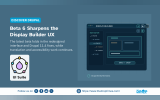
A new video series introducing the Display Builder module for Drupal has begun with a walkthrough of its Page Layouts feature, demonstrating how administrators can construct structured page layouts through a visual interface.
The tutorial is presented by the co-founder of UI Suite Initiative, Pierre Dureau and published as the first instalment in a series exploring the module’s capabilities. The demonstration uses a clean installation of Drupal 11.3 with the UI Suite DaisyUI theme enabled, which provides a library of reusable interface components that can be placed within the layout builder.
Display Builder is designed to extend Drupal’s existing block-based layout system by adding a visual environment where components, blocks, and layout regions can be arranged directly within the administrative interface. The approach aims to reduce the amount of front-end coding traditionally required to structure page layouts.
In the demonstration, Pierre installs the Display Builder module, enables it through the Extend interface, and creates a new layout under the Page Layouts section of the Structure menu. The layout is configured to appear on user profile pages using Drupal condition plugins. When the layout is created, the builder loads existing blocks from the site’s configuration to provide an initial structure that can then be reorganised or extended.
The builder includes a component library panel that lists available interface elements by category. Components can be placed into predefined layout slots and configured through exposed properties. In the walkthrough, a DaisyUI grid component is added to the layout and adjusted using the span and start properties to create an offset grid structure.
Alongside components, the interface allows administrators to place standard Drupal blocks and other renderable data sources within the layout. Blocks and components can also be nested inside the slots of other components, allowing more complex compositions. A context menu attached to each element provides quick actions such as configuration changes or removal of default blocks.
To help manage more complex displays, the interface provides visual inspection tools. A highlight mode outlines each block, component, and slot on the layout canvas, while a Layers panel presents a hierarchical view of the layout structure. Elements can be reorganised through drag and drop directly within this panel.
The builder also includes configuration and styling controls inside the editing interface. Blocks remain fully configurable and changes appear immediately in the preview without requiring a page reload. Layout regions include a Style tab that allows background colours, shadows, and spacing adjustments to be applied directly within the builder.
After publishing the layout, the tutorial shows the updated user profile page rendered with the configured grid, header elements, and styling applied. According to the video, the Page Layouts functionality demonstrated in the tutorial is currently available in Display Builder Beta 1.
The accompanying article introducing the video was written by Michael Fanini.

ASK: Drupal Community Needs Your Support
View all →
Note: The vision of this web portal is to help promote news and stories around the Drupal community and promote and celebrate the people and organizations in the community. We strive to create and distribute our content based on these content policy. If you see any omission/variation on this please reach out to us at #thedroptimes channel on Drupal Slack and we will try to address the issue as best we can.

Related Drupal Initiatives

Related People


You may also like