



Comparing Drupal Canvas's Five Official Headless Front-End Starters

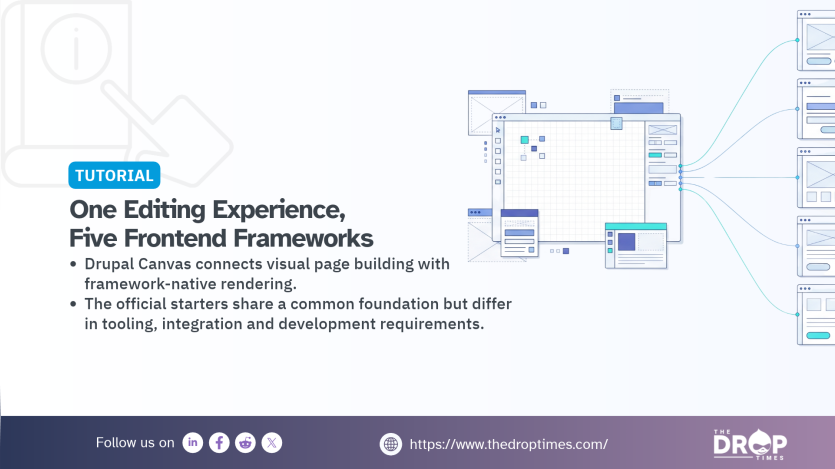
A Drupal CMS site can now hand its pages to a Next.js, Astro, Nuxt, TanStack Start or Angular application while allowing editors to continue building those pages visually. The separate application renders the pages inside the Canvas editor's preview, including unpublished drafts, and serves published pages through its own frontend. Drupal Canvas, the visual page builder in Drupal CMS, provides an official starter template for each of these five frameworks.
In his written version of the DrupalCon Rotterdam 2026 keynote, published on 7 October 2026, Dries Buytaert, Drupal founder and project lead, wrote: "Teams no longer have to choose between a modern JavaScript front-end and Drupal Canvas' visual authoring experience." His State of Drupal presentation introduced Canvas Headless as a way to combine framework-based frontend development with Drupal's visual editing capabilities.
In testing carried out for The DropTimes, most recently on 5 November 2026, the Next.js starter connected to a Drupal CMS 2.2.8 site, registered itself in the Canvas editor and rendered pages in the preview frame, including drafts and live edits. The walkthrough below documents the commands, the Simple OAuth key pair needed for preview authentication and a compatibility issue involving two modules installed on the test site.
Canvas 1.12.0, released on 25 September 2026, removed the experimental and hidden markers from its Headless submodule. The npm packages that make up the headless software development kit (SDK) remain below version 1.0, however, meaning their interfaces may still change during development.
Drupal Manages the Content, and a Separate App Renders It
In a headless, or decoupled, setup, Drupal stores and manages content while a separate application renders the public website. The Canvas Headless documentation describes three main capabilities connecting the two sides:
- Draft preview. The Canvas editor embeds the frontend application in a frame, allowing editors to see unpublished content rendered by the application while they work.
- Component registration. The application exposes its components through a metadata endpoint. Canvas reads the metadata and registers the components in its library so editors can place them on pages.
- Routed content. A catch-all route in the application asks Drupal what a URL resolves to and receives page information, including a component tree that the application renders, rather than finished HTML.
The preview authentication process does not require the frontend application to store a permanent client secret. When an editor opens a page, Drupal creates a short-lived, single-use signed assertion. The application exchanges that assertion for an access token associated with the editor's account. The documentation describes the token as operating within a read-only preview permission ceiling.
What Editors See
Enabling the Headless submodule adds a Headless frontends item to the Canvas editor's left-hand icon rail for users with the appropriate permission. The screen includes an Add frontend button and a framework picker that generates the corresponding scaffold command. During testing, entering the running Next.js application's address in the Frontend URL field produced a row with the status Ready.
The Canvas FAQ describes two other statuses: Setup needed, when a server responds but does not return the expected Canvas adapter response, and Unreachable, when the application cannot be reached.
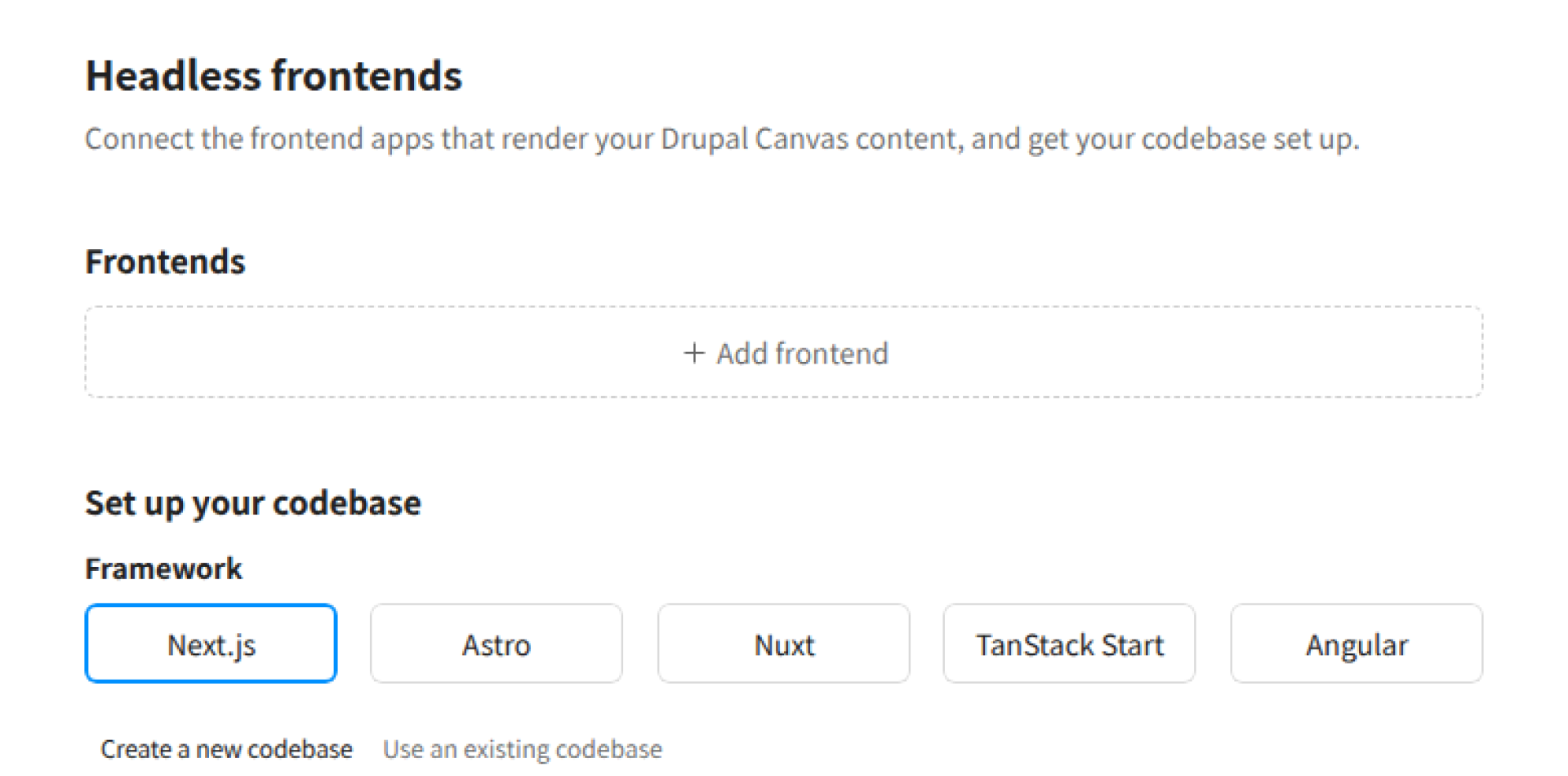
After a frontend has been added, the framework picker is replaced by a Setup guide link.
With the application registered, opening a page in Canvas embeds the application in the editor's preview frame. During testing, the Next.js application rendered the home page, published and unpublished pages, and live edits. A Draft session active status line indicated when the preview session would renew automatically.
The application's logs showed the assertion exchange and a successful component metadata request. The published home page also rendered at the application's own URL. Editors continued working in Canvas, but the page displayed in the editor came from the JavaScript application rather than Drupal's normal themed rendering.
Canvas Headless registration is site-wide rather than specific to individual pages. The documentation explains that Canvas uses the first registered frontend for preview by default, while allowing editors to switch between registered applications.
The approach has already been used on a production website. In a 30 September 2026 article, Nathan Dentzau of Blue Drop Labs reported that the agency launched Rosenfeld Media's Shift UX conference website in August 2026 using Drupal CMS 2, Canvas Headless and Astro. That implementation preceded the publication of the official starter templates.
Every Starter Ships Draft Preview, Routing and the Same Components
According to the headless-templates repository, each generated project includes:
- Draft preview
- The Canvas component metadata endpoint
- A catch-all route for rendering Drupal pages
- Tailwind CSS
- The Canvas CLI
- The same selected components from Nebula, the default Canvas code component template
The repository's README states that Canvas Workbench, a local component preview tool, is included in the two React templates: Next.js and TanStack Start. Their package files also list Workbench as a development dependency.
Each starter includes a component.yml file for every bundled component, using the metadata format supported by Canvas code components. In the repository examined by the author on 5 November 2026, each framework template contained 18 such files.
The Starters Differ in Component Format, Bundled Tools and Default Address
The following comparison is based on each template's package.json, README.md and file structure in the headless-templates repository at commit 4f5aad4d, dated 4 November 2026.
Since 25 September, the templates have gained additional dependencies, including swr in the two React starters. Their canvas.config.json files also use sync.pageTemplates instead of the earlier sync.regions configuration. The framework and adapter version constraints in the comparison have not changed during that period.
| Starter | Framework version | Component files | Canvas adapter package | Canvas Workbench | Canvas ESLint config | Default dev URL |
|---|---|---|---|---|---|---|
| Angular | Angular 22.1.7 | TypeScript and HTML | @drupal-canvas/headless-angular 0.2.3 | No | No | http://localhost:4200 |
| Astro | Astro 7.1.6 or later | .astro | @drupal-canvas/headless-astro 0.7.0 or later | No | Yes | http://localhost:4321 |
| Next.js | Next.js 16.2.12 or later, React 19.2.8 | .jsx | @drupal-canvas/headless-next 0.8.0 or later | Yes | Yes | http://localhost:3000 |
| Nuxt | Nuxt 4.5.1, Vue 3.5.40 | .vue | @drupal-canvas/headless-nuxt 0.7.1 or later | No | Yes | http://localhost:3000 |
| TanStack Start | TanStack Start 1.168.32, React 19.2.8 | .jsx | @drupal-canvas/headless-tanstack-start 0.8.0 or later | Yes | Yes | http://localhost:3000 |
At the repository snapshot examined on 5 November 2026, the shared @drupal-canvas/headless package was at version 0.11.0, while framework adapters ranged from 0.2.3 for Angular to 0.8.0 for Next.js and TanStack Start. These are all 0.x releases. Under Semantic Versioning, major version zero indicates initial development, during which public APIs should not be assumed stable.
Each template contains a lockfile that records its dependency resolutions. During testing, the Next.js starter installed Next.js 16.2.12 even though a newer framework release was available. All five templates declare Tailwind CSS 4 and Canvas CLI 0.26.2 or later.
Canvas code components managed in Drupal use JavaScript written with React conventions and are rendered using Preact's React compatibility layer, as explained in the Code Components documentation. The headless starters instead use each framework's native component format and connect the Canvas adapter through the framework's configuration:
- Angular: The
canvas-angulartool generates the component registry, whilesrc/server.tshandles draft sessions and component metadata, according to the template README. - Astro: The
canvas()integration is added to theintegrationsarray inastro.config.mjs. - Next.js: The
withCanvas()wrapper is configured innext.config.ts, with Canvas routes implemented underapp/api/. - Nuxt: The
@drupal-canvas/headless-nuxtadapter is included in themodulesarray ofnuxt.config.ts. - TanStack Start: The
canvas()integration is added to thepluginsarray ofvite.config.ts.
The templates also declare different Node.js version requirements:
| Templates | Node.js versions declared |
|---|---|
| Astro, Next.js, Nuxt and TanStack Start | 22.19 or later below version 23, or 24.5 or later |
| Angular | 22.22.3 or later in the 22 series, 24.15.0 or later in the 24 series, or 26.0.0 or later |
The Canvas documentation specifically excludes Node.js 23 from its supported versions.
Setting Up a Starter
The Drupal-side requirements are largely shared across the five starters. The scaffold command differs by template name, using angular, astro, nextjs, nuxt or tanstack-start. The development server address also depends on the chosen framework.
For this walkthrough, the Next.js starter was tested against a local Drupal CMS site on 5 November 2026, following the Canvas Headless setup documentation. The other four starters were examined through their repository files but were not run.
The test environment used Drupal CMS 2.2.8, Drupal core 11.4.11, Canvas 1.12.0, Simple OAuth 6.1.4, Node.js 22.23.3 and Chromium. The Drupal site was served over HTTPS.
The official Canvas Headless setup requires Drupal 11.3 or later, with the Canvas Headless submodule enabled and the necessary dependencies installed. These include Simple OAuth 6.1.0 or later, Consumers and Custom Elements. The Simple OAuth RSA key pair must also be configured.
The following commands were used in the author's DDEV environment:
ddev composer require 'drupal/simple_oauth:^6.1.4' drupal/custom_elements
ddev drush en canvas_headless -y
ddev exec mkdir -p /var/www/html/keys
ddev drush simple-oauth:generate-keys /var/www/html/keys
ddev drush config:set simple_oauth.settings public_key /var/www/html/keys/public.key -y
ddev drush config:set simple_oauth.settings private_key /var/www/html/keys/private.key -y
The command specifies Simple OAuth ^6.1.4, which excludes the earlier releases affected by the critical access-bypass advisory SA-CONTRIB-2026-296 published on 4 November 2026. Canvas Headless documentation lists 6.1.0 as its functional minimum, but administrators should use a security-fixed release.
In the tested DDEV layout, the key directory was outside Drupal's public web root. On another hosting setup, the key location should be adjusted to ensure that the private key cannot be served publicly.
Without the RSA keys configured, the editor displayed the message: "The preview could not be started. Are you still logged into Drupal? Reload this page to retry."
The documentation lists two permissions: Administer Canvas Headless frontends and Access Canvas Headless preview. The test used a site administrator account with both permissions. Other editor roles must be granted the permissions they need.
On the frontend side, the scaffolding command specifies the template name and Drupal site URL:
npx @drupal-canvas/create@latest my-canvas-frontend \
  --template nextjs \
  --site-url https://your-site.example.com \
  --agents none

cd my-canvas-frontend
npm run dev
The --site-url argument sets CANVAS_SITE_URL in the generated .env file. This provides the Drupal site address needed for the preview integration. The generated environment file also contains placeholder credentials for the Canvas CLI, which are not used by the preview authentication flow.
Next.js uses http://localhost:3000 by default and may select another available port if that one is occupied. In the test, it used port 3001, as shown in the hero screenshot.
A request to the component metadata endpoint confirms whether the adapter is responding:
curl -i http://localhost:3000/api/canvas/componentsThe request should use the actual port reported by the development server.
The expected response is 401 Unauthorized with the error missing_assertion. Although it is an authentication refusal, the Canvas documentation identifies this as the expected result when checking an adapter without a valid assertion. It confirms that the route exists and rejects unauthorised requests. The running Next.js application returned that response during testing.
The frontend could then be registered through the Headless frontends screen in Canvas.
A further issue appeared on the Drupal CMS Starter test site. When a page was first opened in the editor, the preview frame displayed the starter application's Not found view. The underlying request for draft content had returned a server error.
According to the author's investigation of the test site's error output, the failure involved the SEO Checklist module and its Checklist API dependency during the preview token permission checks. SEO Checklist is included in the Drupal CMS base site template recipe.
For this particular test installation, uninstalling those modules resolved the error:
ddev drush pmu seo_checklist checklistapi -yThe next page load rendered correctly in the preview frame. This was a workaround observed in the tested environment, not a general prerequisite for Canvas Headless. The official setup documentation does not require these modules to be uninstalled. Sites that depend on them should investigate the source of any permission-related error before considering removal.
Canvas 1.12.0 Made Headless Official
The canvas_headless submodule was introduced as an experimental feature in Canvas 1.9.0, released on 29 July 2026. Canvas 1.12.0, released on 25 September, removed its experimental and hidden markers. The submodule's README still describes it as experimental and warns that APIs, hooks and configuration may change without a deprecation path. This documentation has not yet fully caught up with the change in the module's status.
Two details in older setup guides also require attention.
First, the current scaffolding tool uses the --template argument. The older --experimental-headless option is no longer accepted. During testing, @drupal-canvas/create 1.9.1 rejected it with error: unknown option '--experimental-headless'. The outdated flag was still present in the headless-templates repository README and in docs/experimental.md inside the npm package.
Second, the current Headless integration requires Simple OAuth 6.1.0 or later, Consumers and Custom Elements, with routed page content obtained from Canvas's own /canvas/content-api endpoint. Earlier guides that instruct developers to install Lupus CE Renderer and Lupus Decoupled CE API for this setup no longer describe the current architecture.
Who the Starters Are For
The five starters are intended for teams that want to retain Drupal Canvas's visual page building while developing the public frontend with their chosen JavaScript framework. The Drupal-side authentication and module requirements are shared across the integrations, although the applications differ in their framework conventions and tooling.
Three considerations stand out when choosing a starter:
- Framework and bundled tools. The two React starters, Next.js and TanStack Start, include Canvas Workbench and the Canvas ESLint configuration. Astro and Nuxt include the ESLint configuration but not Workbench. Angular includes neither in the examined template, and its adapter is at version 0.2 compared with 0.7 or 0.8 for the other frameworks. Version numbers alone do not establish relative feature completeness, but they show differences in package maturity.
- Browser compatibility for editors. Draft preview depends on a partitioned cross-origin cookie. According to the Canvas FAQ, Chromium-based browsers support the documented development setup. Firefox needs HTTPS and, where third-party cookies are blocked, a per-site exception. Safari versions 18.5 through 26.1 lack the required CHIPS support, preventing this preview flow in those versions.
- SDK stability. The Drupal Headless submodule is no longer marked experimental, but the SDK and framework adapters remain at 0.x versions. Teams adopting them should review package updates and test their integrations before upgrading dependencies.
For teams already working with React, Next.js and TanStack Start provide the most extensive bundled Canvas tooling among the five examined templates. The Next.js walkthrough demonstrates a working integration with a local Drupal CMS installation, while the remaining frameworks provide alternative component formats and development environments.
All five approaches retain the same central arrangement: editors build pages visually in Drupal, developers implement the frontend in their preferred framework, and unpublished changes can be previewed in Canvas before publication, subject to the documented authentication and browser requirements.
References
-
State of Drupal presentation (September 2026) (7 October 2026)
-
-
Canvas Headless Setup | Drupal Canvas, Drupal Canvas
-
Simple OAuth - Critical - Access bypass - SA-CONTRIB-2026-296 | Drupal.org, Drupal Security Team (4 November 2026)
-
 Vimal JosephVimal leads the technical transformation of The Drop Times
Image Attribution Disclaimer: At The Drop Times (TDT), we are committed to properly crediting photographers whose images appear in our content. Many of the images we use come from event organizers, interviewees, or publicly shared galleries under CC BY-SA licenses. However, some images may come from personal collections where metadata is lost, making proper attribution challenging.
Our purpose in using these images is to highlight Drupal, its events, and its contributors—not for commercial gain. If you recognize an image on our platform that is uncredited or incorrectly attributed, we encourage you to reach out to us at #thedroptimes channel on Drupal Slack.
We value the work of visual storytellers and appreciate your help in ensuring fair attribution. Thank you for supporting open-source collaboration!
ASK: Drupal Community Needs Your Support
View all →
Disclosure: This content is produced with the assistance of AI.
Note: The vision of this web portal is to help promote news and stories around the Drupal community and promote and celebrate the people and organizations in the community. We strive to create and distribute our content based on these content policy. If you see any omission/variation on this please reach out to us at #thedroptimes channel on Drupal Slack and we will try to address the issue as best we can.

Related Drupal Initiatives

Related People


You may also like