



Giving Content Editors the Display Controls They Deserve with ERVMS for Drupal

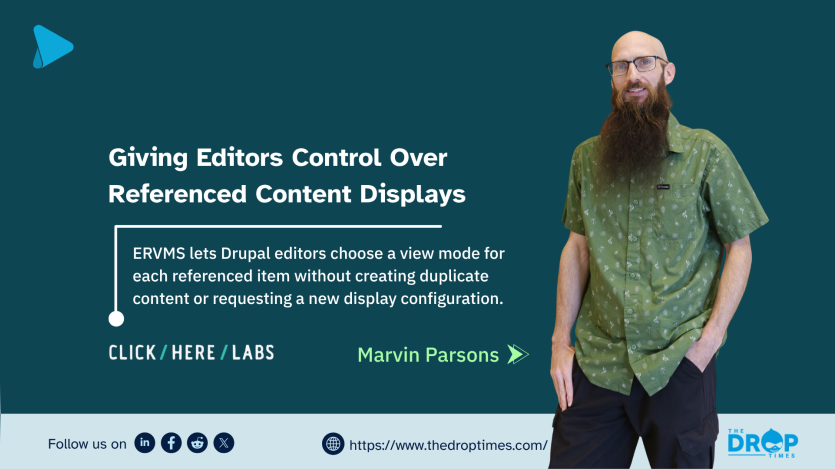
Drupal's Entity View Modes have long provided developers and themers with a flexible way to control how content is rendered. However, those display choices are typically fixed once configured, leaving content editors with little control over how individual referenced items appear within different contexts. The Entity Reference View Mode Selector (ERVMS), developed by Click Here Labs, aims to close that gap by bringing view mode selection directly into the editorial interface.
ERVMS allows editors to choose a display view mode for each referenced entity within an entity reference field. Instead of applying a single formatter to every referenced item, editors can select the most appropriate presentation for each item individually while working in the content editing form.
The Constraint Content Editors Keep Running Into
As Drupal sites evolve, editorial teams often need to reuse the same content across multiple pages with different visual emphasis. Achieving these variations frequently requires developer intervention through additional paragraph types, custom fields, or new view modes tied to separate content structures.
Drupal already provides the underlying display infrastructure through Entity View Modes. The missing capability has been an editor-facing mechanism for selecting which view mode should apply to each referenced item inside a reference field.
What ERVMS Does
ERVMS adds a view mode selector beneath each entity reference in the editing form. When editors reference content, they are presented with a dropdown listing the available view modes for that entity bundle. The selected option determines how that individual referenced item is rendered on the front end.
The module builds entirely on Drupal's existing display system. Developers continue to define view modes and templates as usual, while editors gain the flexibility to decide which display should be used for each referenced item without additional configuration.
This shifts display decisions that are often editorial in nature from developers to content teams. Choices such as whether an article should appear as a compact card or a full teaser become part of the content creation workflow rather than a development request.
For sites using the Paragraphs module, the optional ervms_paragraphs submodule extends the same capability to paragraph reference fields, including nested entity references.
On the rendering side, the Entity Reference View Mode formatter reads the selected view mode and renders each referenced entity accordingly. The formatter also outputs view-mode-specific CSS classes to support additional theming where required.
The Philosophy Behind ERVMS
The module promotes a workflow in which developers define display options once while editors decide how those options are applied throughout the site. Rather than expanding site architecture with additional content types, fields, or paragraph variations, existing view modes become reusable building blocks for editorial composition.
This approach seeks to reduce architectural complexity while increasing editorial flexibility. Instead of solving presentation differences through new structures, ERVMS allows existing display configurations to be reused more effectively.
Although previous Drupal projects such as Display Suite explored similar concepts, ERVMS focuses specifically on selecting view modes for individual referenced entities rather than changing the display of an entire field or page.
Who May Benefit
ERVMS may be particularly useful for Drupal sites where:
- content is reused across multiple pages with different visual treatments;
- editors frequently request small display changes that require developer assistance;
- paragraph components have been created primarily to work around display limitations; or
- multiple view modes already exist but remain inaccessible to editorial users.
The module supports Drupal 10 and Drupal 11. Configuration involves enabling the selector on the relevant entity reference field and changing the field formatter to Entity Reference View Mode.
A Companion Module: ERFO
Click Here Labs also maintains the Entity Reference Field Override (ERFO) module. Whereas ERVMS determines which view mode should render a referenced entity, ERFO allows editors to override selected field values for a referenced entity within a specific placement without modifying the original content.
Together, the two modules provide editors with greater control over both presentation and contextual customization while reducing the need for duplicated content.
Community Contribution
ERVMS is maintained by Click Here Labs as an open-source contributed module for Drupal and is available through Drupal.org. The maintainers invite community participation through issue reports, patches, documentation improvements, and other contributions.
For editorial teams seeking greater flexibility without expanding content architecture, ERVMS offers a practical way to expose Drupal's existing display capabilities directly within the content editing experience.
Project page: Entity Reference View Mode Selector on Drupal.org
References
 Marvin ParsonsDigital Solutions Architect, not just a Drupal Solutions Architect


ASK: Drupal Community Needs Your Support
View all →
Note: The vision of this web portal is to help promote news and stories around the Drupal community and promote and celebrate the people and organizations in the community. We strive to create and distribute our content based on these content policy. If you see any omission/variation on this please reach out to us at #thedroptimes channel on Drupal Slack and we will try to address the issue as best we can.

Related People


You may also like