




Entity Reference Field Override Adds Per-Placement Control in Drupal

Content reuse is one of the most valuable patterns in a well-built Drupal site. A “Call to Action” paragraph built once and deployed dozens of times across pages and landing sections is a genuine editorial win. It reduces duplication, keeps messaging consistent, and means a single update propagates everywhere it’s needed.
But there’s a catch that anyone who has worked on content-rich Drupal sites will recognize immediately: what happens when you want the same piece of content to look slightly different depending on where it appears?
Maybe the CTA should have a dark background on one page and a light background on another. Maybe a reusable “Feature Card” paragraph needs a different button style depending on the surrounding design. Maybe a shared team member profile renders fine in most places, but one section of the site uses a tighter layout that needs a different text size class.
The options have historically been unsatisfying. You can duplicate the paragraph and tweak the copy of it, which defeats the purpose of reuse entirely. You can build conditional logic into templates, which moves editorial decisions into code. Or you can accept the uniformity and live with a design that doesn’t quite fit every context.
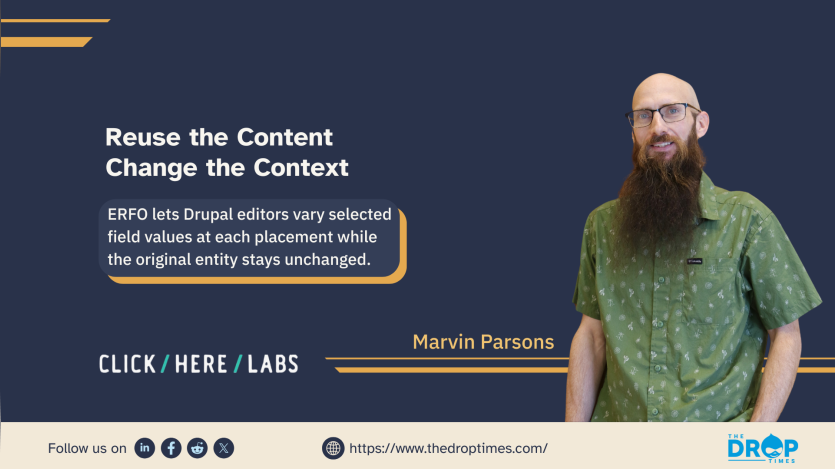
Entity Reference Field Override (ERFO) is a new Drupal module from Click Here Labs that offers a fourth option: let editors override specific field values on a referenced entity, per placement, without touching the original.
The Problem with “One Version Fits All”
The challenge isn’t unique to paragraphs. Any time a site uses entity references, it carries an implicit assumption that the referenced item will display the same way in every context it appears. That assumption makes sense for the content itself, but it creates friction when the presentation needs to vary.
What editors actually need is the ability to say: “Use this paragraph, but with a blue background here instead of white.” The content is identical. The copy doesn’t change. Only the visual context does. That’s a fundamentally different operation from editing the entity, and it deserves a different tool.
How ERFO Works
When ERFO is enabled and configured for a content type or paragraph type, a collapsible “Field Overrides” section appears below each entity reference in the editing interface. Editors can expand it and select override values from dropdown menus, field by field.
The values available in those dropdowns come directly from the field’s existing allowed values list, so there’s no free-form input and no risk of editors entering arbitrary strings. If a background color field has options for “Light,” “Dark,” and “Slate,” those are exactly the options editors see in the override panel.
Override values are stored on the parent entity, not on the referenced entity itself. The referenced paragraph, node, or block remains completely unchanged. This is an important architectural detail: the same paragraph can appear in ten places with ten different visual configurations, and the paragraph itself stays clean, canonical, and unforked.

No template modifications are required to take advantage of this. ERFO applies overrides during preprocessing, so standard Drupal field access patterns work as expected. For editors building layouts, the experience is simple. For developers, there’s nothing new to wire up.
What Can Be Overridden
ERFO currently supports fields with predefined allowed values: list (text), list (integer), list (float), and boolean field types. Text fields and entity references are intentionally out of scope. The module is designed for presentation-layer decisions, things like background color, button style, spacing variant, or display mode class, where the options are bounded and the answers come from a known set.
This constraint is a feature, not a limitation. Keeping overrides tied to defined option lists means editors are always choosing from the same vocabulary developers have established, which protects design system integrity while still giving editorial teams genuine flexibility.
Paragraph Support and Configuration
An optional submodule, erfo_paragraphs, extends support to paragraph types with nested field discovery. Once installed, configuration works the same way for both content types and paragraph types: navigate to the type’s edit form, find the “Field Override Settings” fieldset, enable overrides, and select which fields should be available to editors.
The setup is intentional about being selective. Not every field needs to be overridable, and exposing too many options can overwhelm editors. Administrators choose exactly which fields appear in the override panel, keeping the interface focused on the decisions that actually matter per placement.
A Natural Companion to ERVMS
Click Here Labs also maintains the Entity Reference View Mode Selector (ERVMS) module, which lets editors choose which view display to use for each individual entity reference. Where ERVMS answers the question “which layout should this reference use?”, ERFO answers “what values should certain fields have in this placement?”
Used together, they give editorial teams a coherent set of controls over how referenced entities appear in context without requiring content duplication or developer intervention for every new variation.
Who Should Be Paying Attention
If you work on a Drupal site where:
- The same paragraphs or content assets are reused across multiple contexts but need different visual treatments per placement.
- Editors regularly request small styling changes that require developer time.
- Paragraph components or content have been duplicated purely to achieve another background colour, button style, or display variant.
- The design system has a defined set of visual options but no clean way for editors to select them per reference.
Then ERFO is worth a close look.
The module supports Drupal 10 and 11. Configuration takes only a few steps: enable field overrides on the relevant content type or paragraph type, select which fields editors can override, and the interface takes care of the rest. No template changes are required.
The current stable release, ERFO 1.0.5, supports Drupal 10.3 and Drupal 11 and is covered by Drupal’s security advisory policy.
A Community Contribution
ERFO was developed and released by the team at Click Here Labs. It is maintained as an open-source contribution to the Drupal community and is available on Drupal.org.
Modules like ERFO are small in scope but meaningful in practice, the kind of tooling that removes friction from the people who spend the most time inside the CMS.
The module is available now. Issues, patches, and documentation contributions are welcome.
 Marvin ParsonsDigital Solutions Architect, not just a Drupal Solutions Architect


ASK: Drupal Community Needs Your Support
View all →
Note: The vision of this web portal is to help promote news and stories around the Drupal community and promote and celebrate the people and organizations in the community. We strive to create and distribute our content based on these content policy. If you see any omission/variation on this please reach out to us at #thedroptimes channel on Drupal Slack and we will try to address the issue as best we can.

Related Organizations

Related People


You may also like